
Introduction
If your computer running slow in Windows 11, the issue is usually caused by background programs, low disk space, outdated drivers, or excessive startup applications. Slow performance can make everyday tasks frustrating, but most causes can be resolved with a few simple troubleshooting steps.
Quick Checks Before Advanced Fixes
Before moving to more advanced troubleshooting, try these quick checks:
• Restart your computer
• Close unnecessary programs running in the background
• Check available disk space on your system drive
• Disable unnecessary startup applications
These quick actions often restore normal performance without deeper troubleshooting.
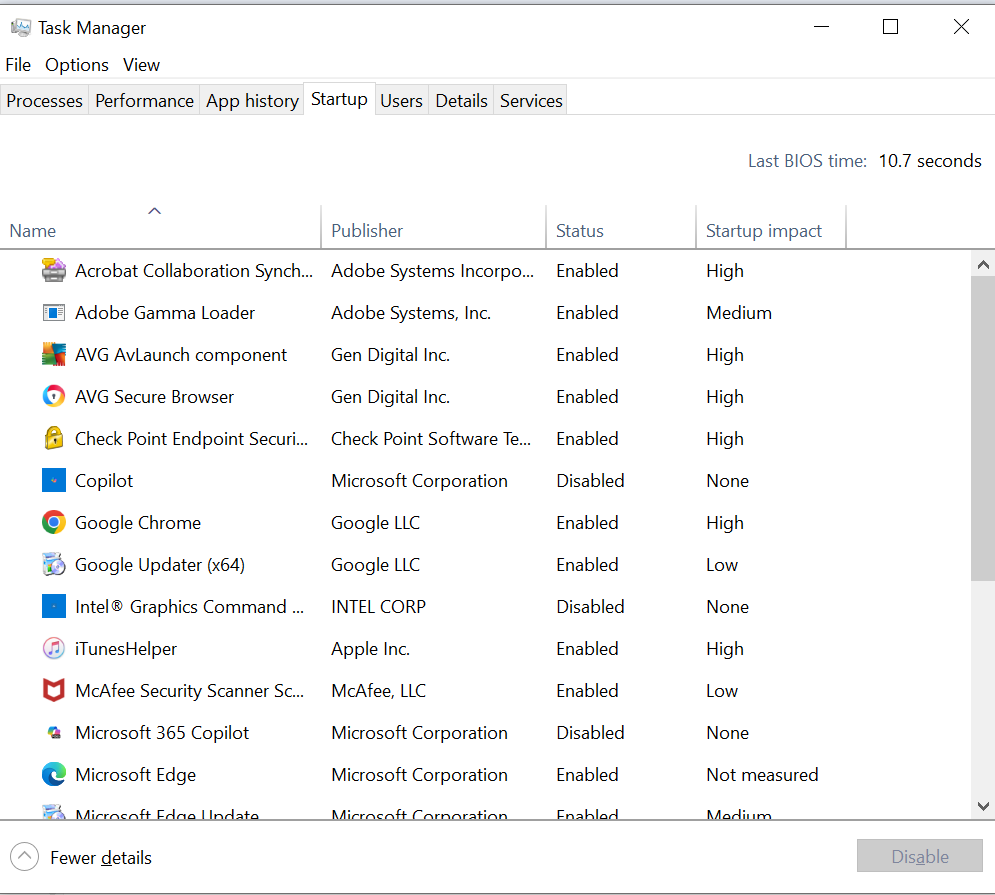
Fix 1: Disable Startup Programs
Too many startup programs can slow down Windows significantly.
- Press Ctrl + Shift + Esc to open Task Manager
- Click the Startup tab
- Look for programs with High startup impact
- Right-click the program and select Disable
Restart your computer after disabling unnecessary startup programs.
Fix 2: Free Up Disk Space
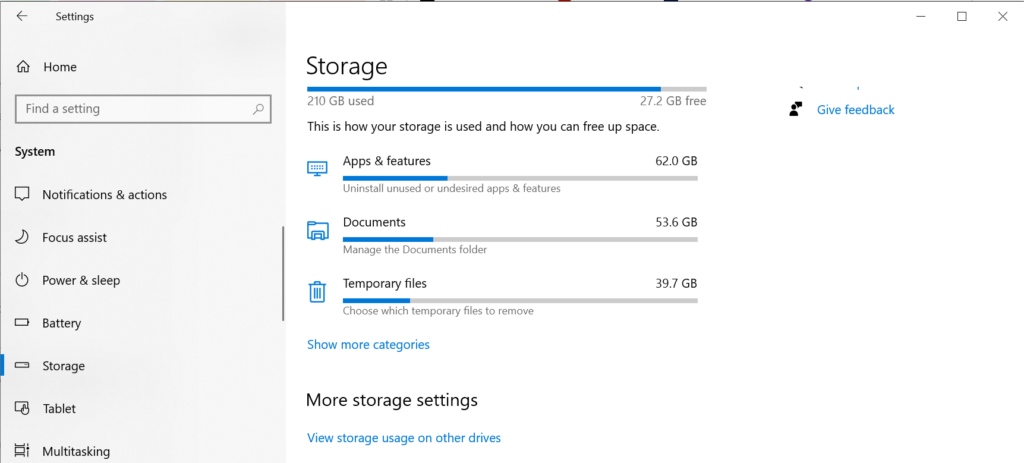
Low storage space can cause Windows to run slowly.
- Open Settings
- Click System → Storage
- Select Temporary files
- Remove unnecessary files such as cache or downloads
You can also uninstall applications you no longer use
Fix 3: Scan for Malware
Malware and unwanted programs can consume system resources.
- Open Windows Security
- Click Virus & threat protection
- Select Quick scan
- Remove any threats that are detected
Restart the computer after the scan completes.
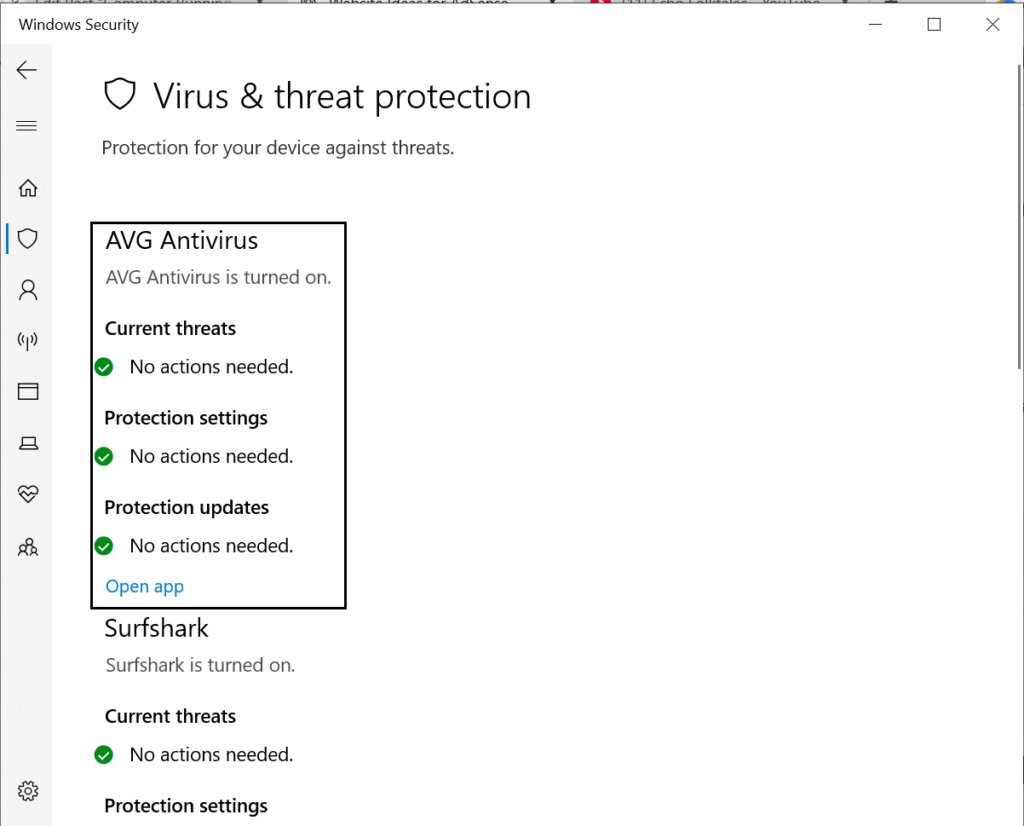
Windows Security virus scan screen
When to Contact IT Support
If your computer continues to run slowly after trying these fixes, the issue may involve hardware limitations, failing storage drives, or deeper system corruption. In workplace environments, your IT support team may need to perform additional diagnostics.
Final Thoughts
A computer running slow in Windows 11 is commonly caused by startup programs, limited storage space, or outdated drivers. By following the steps in this guide, you can usually improve system performance and restore normal operation.
Frequently Asked Questions
Why is my computer running slow in Windows 11?
Computers often slow down because of too many startup programs, background applications, low disk space, or outdated drivers.
Can malware cause a slow computer?
Yes. Malware and unwanted software can consume system resources and significantly slow down performance.
How do I speed up a slow Windows 11 computer?
Restarting the computer, disabling startup programs, freeing disk space, and updating drivers can often improve performance.
Related Issue: